FlexibleRange
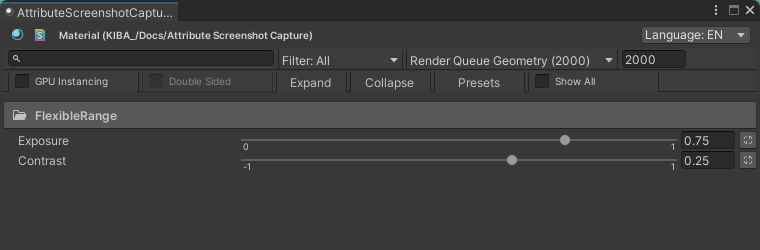
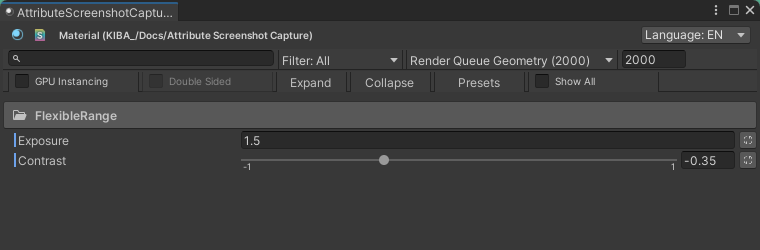
[FlexibleRange] marks a numeric property as a flexible range control.
[FlexibleRange(0, 1)] _Intensity ("Intensity", Float) = 0.5
Syntax
[FlexibleRange(min, max)]
[Flexible]
Behavior
- Works with
Floatproperties, and can also be used onRangeproperties. - The slider stays inside the shader range.
- When the value is outside the recommended range, the row switches to a numeric input field so the out-of-range value is explicit.
- For negative limits, use the ShaderLab-safe
nprefix syntax, such asn1for-1orn0_5for-0.5. - Use this when a value has a recommended range but authors sometimes need deliberate overdrive values.
Example
Properties
{
    [Group(Lighting)] [FlexibleRange(0, 10)] _Intensity ("Intensity", Float) = 1
    [Group(Lighting)] [FlexibleRange(n1, 1)] _Contrast ("Contrast", Float) = 0
}