Group
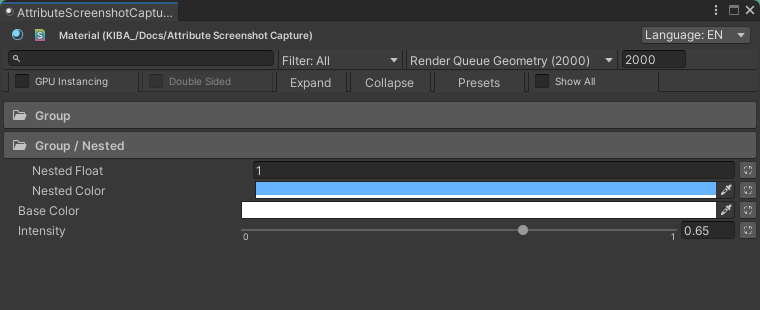
[Group] routes a property into a named section of the material inspector.
[Group(Base)] _BaseColor ("Base Color", Color) = (1,1,1,1)
[Group(Surface, Detail)] _DetailNormal ("Detail Normal", 2D) = "bump" {}
Syntax
[Group(name)]
[Group(parent, child)]
[Group(root, child, grandChild)]
Behavior
- Each argument becomes one path segment.
- Nested paths use commas:
[Group(Surface, Detail)]. - Slash-separated paths are not supported.
- Properties without
[Group]are shown after grouped properties. - Group counts, search results, reset actions, and filters use only properties that are currently visible.
Example
Properties
{
    [Group(Base)] _MainTex ("Main Texture", 2D) = "white" {}
    [Group(Base)] _Tint ("Tint", Color) = (1,1,1,1)
    [Group(Advanced, Lighting)] _ShadowColor ("Shadow Color", Color) = (0,0,0,1)
}