SegmentedEnum
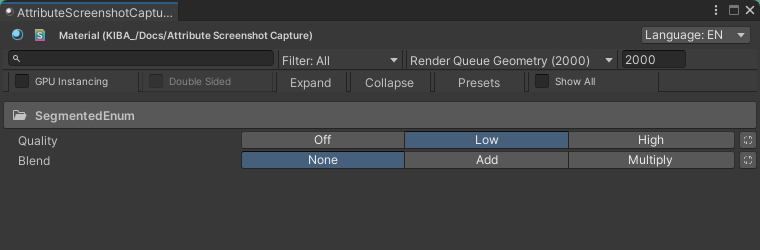
[SegmentedEnum] displays an enum-like float as segmented buttons.
[Enum(Off, 0, On, 1)] [SegmentedEnum] _Mode ("Mode", Float) = 0
[KeywordEnum(None, Add, Multiply)] [SegmentedEnum] _Blend ("Blend", Float) = 0
Syntax
[SegmentedEnum]
[Segmented]
Behavior
- Combine with
[Enum]or[KeywordEnum]. - If enum metadata is invalid, KIBAMaterialGUI falls back to a numeric field.
- The stored value remains the float value defined by Unity's enum attribute.
- Keyword enum behavior follows Unity's material keyword handling.
Example
Properties
{
    [Group(Rendering)] [Enum(Off, 0, Front, 1, Back, 2)] [SegmentedEnum]
    _CullMode ("Cull Mode", Float) = 2
}