Vector
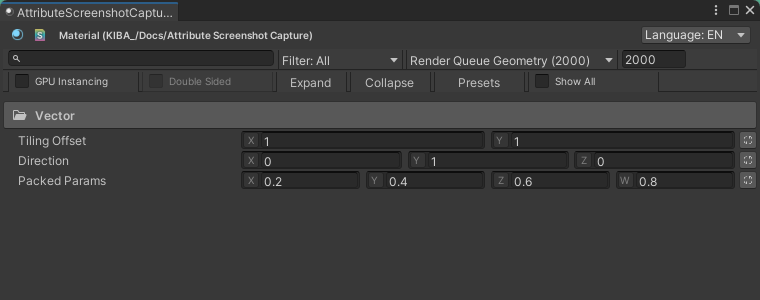
[Vector] controls how many components a Vector property shows.
[Vector(2)] _UVScale ("UV Scale", Vector) = (1,1,0,0)
[Vector(3)] _Direction ("Direction", Vector) = (0,1,0,0)
Syntax
[Vector(2)]
[Vector(3)]
[Vector(4)]
[Vector2]
[Vector3]
[Vector4]
Behavior
- Use this on
Vectorproperties. - Hidden components remain stored in the material value.
[Vector(4)]is equivalent to the default full vector editor.- KIBAMaterialGUI keeps mixed value and animation preview behavior consistent with other property rows.
Example
Properties
{
    [Group(UV)] [Vector(4)] _UV ("UV Transform", Vector) = (1,1,0,0)
    [Group(Wind)] [Vector3] _WindDirection ("Wind Direction", Vector) = (0,1,0,0)
}